Starlight Obsidian 实现 Obsidian 实时发布
搭建你的 starlight 站点
Section titled “搭建你的 starlight 站点”根据文档的原文:
You will need to have a Starlight website set up. If you don’t have one yet, you can follow the “Getting Started” guide in the Starlight docs to create one.
我们需要搭建一个 starlight 站点。
pnpm create astro --template starlight
见到上面的提示就证明你成功部署了 starlight。
安装 starlight-obsidian 以及 playwright 插件
Section titled “安装 starlight-obsidian 以及 playwright 插件”Starlight Obsidian is a Starlight plugin. Install it using your favorite package manager
接下来我们配置 Starlight 项目的插件,同样非常简单。
pnpm add starlight-obsidianpnpm add playwrightpnpm playwright install --with-deps chromium紧接着配置对应的 config 文件即可:
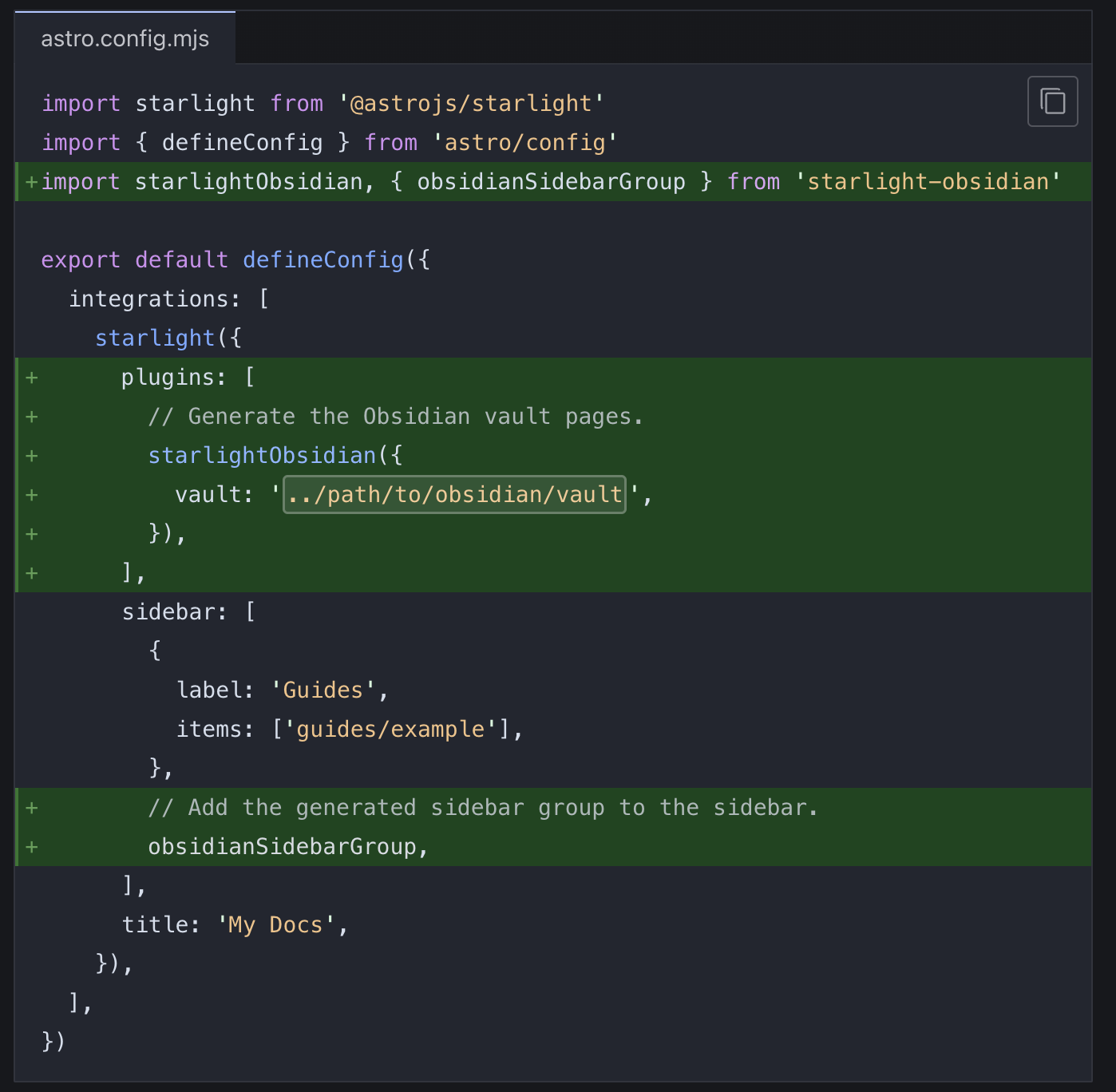
我们这个就配置好了。
配置 Cloudflare 部署
Section titled “配置 Cloudflare 部署”现在我们的 Astro 项目建议部署 Cloudflare Workers 上,所以这里是这样部署的。
修改了 package.json
"scripts": { "dev": "astro dev", "start": "astro dev", "build": "astro build", "preview": "npx astro build && npx wrangler dev", "astro": "astro", "deploy": "npx astro build && npx wrangler deploy" },接下来只需要执行 pnpm run preview 和 pnpm run deploy 就可以完成部署了。